





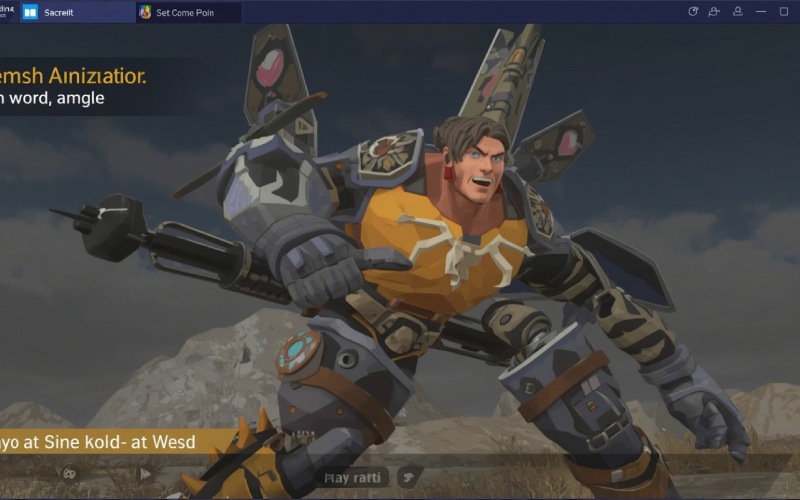
Creating animations in Source Filmmaker (SFM) requires a combination of scene preparation, animation, lighting, camera work, materials, and proper compiling and rendering settings. It is not merely a combination of positioning characters and pressing render, but rather involves multiple skills.
Also Read : War Machine (2026) Review: A Brutal Sci-Fi Action Ride That Knows Exactly What It Is
Initially, you may find the process complicated, but understanding how the different stages align makes the process easier to complete. In today’s article, we will explain the basic workflow of SFM and the role compilation and rendering play in producing polished animations.
What Is SFM?
SFM means Source Filmmaker; it is a filmmaking and animation tool developed by Valve, which allows users to create animated scenes using assets from games and the Source engine ecosystem. This software operates on a timeline-based workflow, which helps creators arrange and modify different elements of a scene.
What Does “Compile” Mean in SFM?
The word compile is a common process name in Source Filmmaker, but its actual meaning will depend on the workflow being followed. In the general sense of the Source engine ecosystem, compiling involves preparing assets or models to be used by the engine.
Preparing Your SFM Project
Preparation is a crucial part of the animation process. Before initiating the process, it is important to plan everything accurately. Starting with what you want the scene to communicate, listing your shot details will help you determine which characters, environments, props, and cameras are required.
After listing the things you will be required to do, now is the time to gather all the required assets and check that they are compatible with SFM.
Building the Scene
The next step is constructing the environment. Now start organizing major props, characters, and the map, according to the composition planned in the first step.
Character Animation
Character animation is integral to an SFM project. You can start this process with existing animation sequences and then modify them if required. For customized results, you change the process as per your desired result.
Good animation is generally the result of:
- Body movement
- Facial expressions
- Hand and arm positioning
- Timing
- Transitions between poses
- Interaction with the environment
Camera Work
A technically sound animation with poor camera work will look weak. It is important to execute camera work according to shot requirements; for example, a wide shot can establish the environment. In contrast, a closer shot can emphasize a character’s expression or an important action.
Lighting
Lighting affects the overall appearance and atmosphere significantly. You can adjust the lighting to show the mood of a shot and direct the viewer’s attention.
Think about:
- Key lighting
- Fill lighting
- Shadows
- Contrast
- Background illumination
- Scene atmosphere
Tips for Beginners
If you are trying Source Filmmaker for the first time, begin with short projects. A short scene with one or two characters is ideal for learning how the software works. While working, focus on the timeline, camera controls, posing tools, lighting, and the rendering process carefully before moving toward a complex project.
Remember to save versions of your project while you work on it. It will give you a recovery point if a specific point is problematic.
Frequently Asked Questions (FAQs)
What is SFM Used For?
Source Filmmaker is primarily used to create animated films, scenes, videos, and still images by using Source engine assets and filmmaking tools.
Does Compiling an SFM Asset Create an Animation?
No, compiling and animation creation are two different things. Compiling is related to making certain assets prepared for use, while animation is a longer process, involving scene construction, character movement, camera work, lighting, and rendering.
How Can Beginners Improve Their SFM Animations?
Beginners can improve their SFM animations by focusing on fundamentals like posing, timing, camera composition, lighting, and test rendering. Becoming an expert in this field will take time.
Conclusion
Polished animation generated through Source Filmmaker is a process, not a step. You will need to combine planning, effective camera work, appropriate lighting, suitable materials, and careful rendering for an effective result. If you are particularly working with compiled assets, then make sure they work appropriately with each other before investing your time in it. In this article, we discussed Source Filmmaker in detail. In the end, we hope that you like reading it and find it informative. If so, then do share this post with others as well.